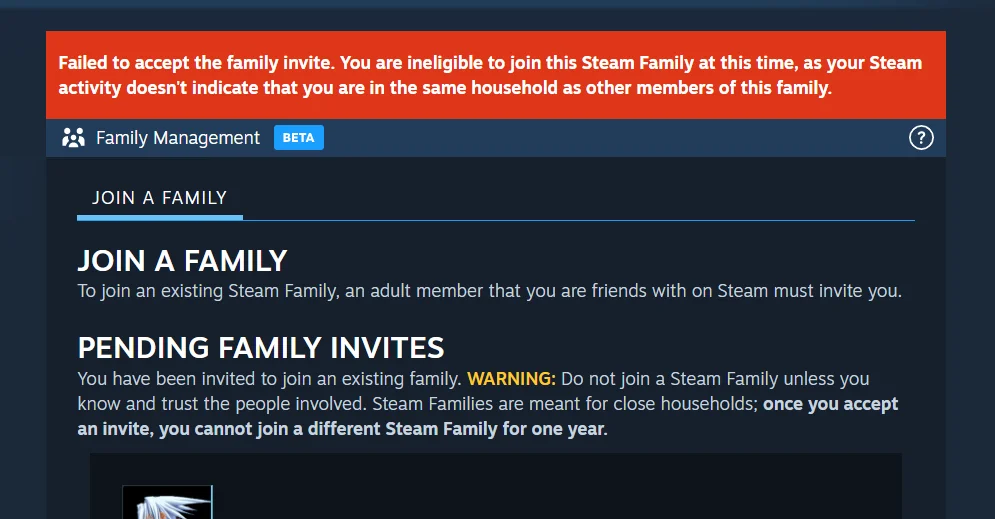
If you’ve tried joining a Steam Family only to see the dreaded error:
“You are ineligible to join this Steam Family at this time, as your Steam activity doesn’t indicate that you are in the same household as other members of this family.”
—you’re not alone. This happens because Steam’s new Family system is far stricter than the old Family Sharing rules. Let’s break down why this error shows up and how to fix it step by step.
Why Does the Steam Family Ineligibility Error Happen?
Steam uses multiple signals to check if you really live in the same household as the Family host. If anything looks suspicious, your account gets flagged as “ineligible.”
Key checks include:
-
Login history & IP addresses
-
Store region / country
-
Device usage (shared PCs)
-
Family cooldown rules (if you recently left another Family)
If your region doesn’t match, your devices haven’t overlapped, or your IP addresses are always different, Steam won’t let you join.
How to Fix the “Ineligible to Join Steam Family” Error
1. Log Into Your Account on the Host’s PC
Steam trusts shared device history the most.
-
On the host’s PC, log out of their Steam account.
-
Log into your Steam account and complete verification.
-
Log back into the host’s account.
-
Re-send or accept the invite.
💡 If the invite still fails, try this browser trick:
-
Stay logged into your account in a browser on the host’s PC.
-
Log into the host’s Steam account in the client.
-
Send the invite from the client, accept it in the browser.
2. Check and Match Steam Account Region
If your account is tied to a different country, Steam blocks Family setup.
-
Go to Account Details under your username.
-
Verify both accounts list the same country.
-
If not, update your store region by making a purchase with a valid payment method from the host’s country.
-
Try joining the Family again.
3. Respect the Steam Family Cooldown
If you recently left another Family, Steam enforces a cooldown—sometimes up to 12 months.
-
Check if you recently exited or were removed from a Family.
-
If yes, you’re in cooldown and cannot bypass it.
-
Once the cooldown ends, you can rejoin or create a new Family.